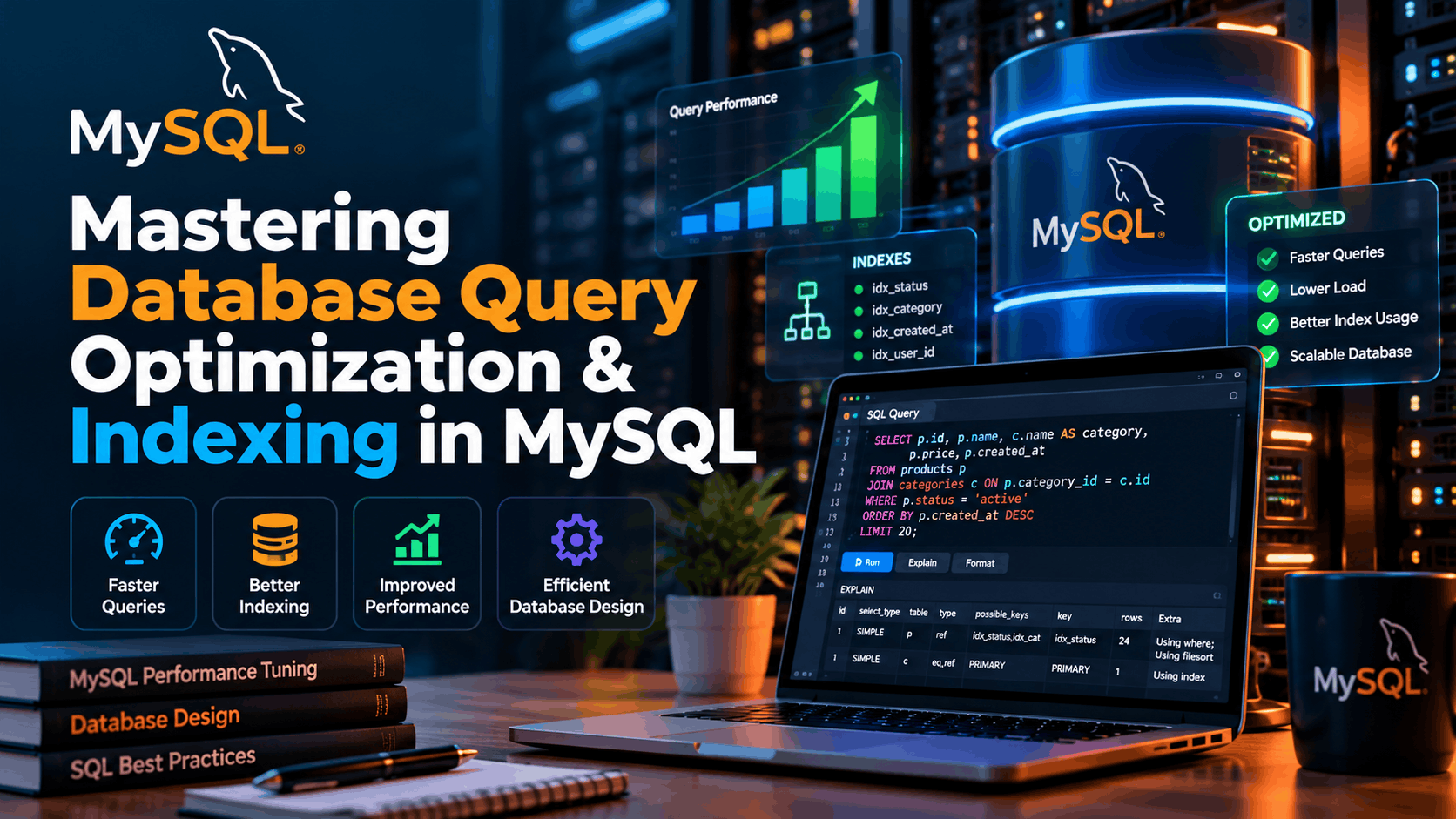
Mastering Database Query Optimization & Indexing in MySQL
A practical engineering guide to diagnosing slow database queries, designing effective indexes, reducing unnecessary database work, and building MySQL-backed applications that remain fast as data and traffic grow.
Introduction
Database performance is one of the most important factors behind the responsiveness of modern web applications.
A Laravel application can have clean controllers, optimized PHP code, efficient frontend assets, and a fast server, yet still feel slow if its database queries are inefficient.
The problem often becomes more noticeable as an application grows.
A query that executes almost instantly with a few hundred records can become expensive when the same table contains hundreds of thousands or millions of rows. Relationships become larger, filtering becomes more complex, sorting becomes more expensive, and poorly designed queries can consume significant database resources.
This is where MySQL query optimization and indexing become essential.
Rather than simply adding indexes everywhere, effective database optimization requires understanding how MySQL executes queries, how indexes work, and how application code interacts with the database.
This guide explores practical techniques for improving MySQL performance, particularly for Laravel applications.
Why Database Performance Matters
Every database query introduces work.
The database may need to:
Locate matching records
Read data from disk or memory
Filter rows
Join multiple tables
Sort results
Group records
Calculate aggregates
Return the final result to the application
When these operations are performed efficiently, users receive responses quickly.
When they are not, database queries can become a major bottleneck.
For a Laravel application, the performance chain often looks like this:
User Request
     ↓
Laravel Application
     ↓
Eloquent / Query Builder
     ↓
MySQL
     ↓
Query Execution
     ↓
Database Results
     ↓
Laravel Response
     ↓
User
Optimizing only the Laravel layer is not enough if MySQL is spending most of the request processing time searching and sorting data.
Understanding MySQL Indexes
An index is a data structure that helps MySQL locate rows more efficiently.
Without an appropriate index, MySQL may need to inspect a large portion of a table to find matching records.
Consider a users table containing hundreds of thousands of records.
Suppose the application frequently executes:
SELECT *
FROM users
WHERE email = 'user@example.com';
If email is not indexed, MySQL may need to examine many rows before finding the matching record.
Adding an index can make the lookup significantly more efficient:
CREATE INDEX idx_users_email
ON users(email);
The important point is that an index is not simply a way to make every query faster.
Indexes are designed to help specific access patterns.
Choosing the Right Columns to Index
One of the most common database optimization mistakes is adding indexes without considering how the application actually queries the data.
Good candidates for indexing often include columns used frequently in:
WHEREconditionsJOINconditionsORDER BYGROUP BYUnique lookups
For example:
SELECT *
FROM orders
WHERE user_id = 25;
An index on user_id can make this type of query more efficient:
CREATE INDEX idx_orders_user_id
ON orders(user_id);
In a Laravel application, this is particularly important for foreign-key columns.
Index Foreign Keys
Relationships are extremely common in Laravel applications.
Consider:
users
  ↓
orders
  ↓
order_items
  ↓
products
A typical query might retrieve all orders belonging to a particular user:
SELECT *
FROM orders
WHERE user_id = 25;
The user_id column should generally be indexed when it is frequently used for lookups or relationships.
In Laravel migrations:
$table->foreignId('user_id')->constrained()->index();Depending on the migration and database version, Laravel may already create an appropriate index as part of the foreign key definition. The important engineering principle is to verify the resulting schema rather than blindly creating duplicate indexes.
Composite Indexes
Sometimes a query filters using multiple columns.
For example:
SELECT *
FROM products
WHERE category_id = 5
AND status = 'active';
Instead of relying only on separate indexes, a composite index may be appropriate:
CREATE INDEX idx_products_category_status
ON products(category_id, status);
This creates an index covering both columns.
However, the order of columns matters.
For example:
(category_id, status)is different from:
(status, category_id)The best order depends on the application's query patterns and the selectivity of the columns.
Understanding the Leftmost Prefix Principle
Composite indexes follow an important rule commonly referred to as the leftmost prefix principle.
Suppose you create:
CREATE INDEX idx_orders_status_date
ON orders(status, created_at);
This index can help queries involving:
WHERE status = 'completed'and:
WHERE status = 'completed'
AND created_at >= '2026-01-01'
But a query that only searches by:
WHERE created_at >= '2026-01-01'may not benefit from this composite index in the same way.
This is why index design should begin with actual query patterns rather than assumptions.
Use EXPLAIN to Understand Query Execution
One of the most valuable tools for MySQL performance analysis is:
EXPLAINFor example:
EXPLAIN
SELECT *
FROM orders
WHERE user_id = 25
ORDER BY created_at DESC;
MySQL returns information about how it intends to execute the query.
Important columns include:
typepossible_keyskeykey_lenrowsfilteredExtra
The key column is particularly useful because it can show which index MySQL selected.
The rows estimate can also provide an indication of how much data MySQL expects to examine.
EXPLAIN ANALYZE
For deeper investigation, modern MySQL versions also provide:
EXPLAIN ANALYZEThis goes beyond the estimated execution plan and provides runtime information about how the query actually executed.
For example:
EXPLAIN ANALYZE
SELECT *
FROM orders
WHERE user_id = 25;
This can help identify situations where the optimizer's expectations differ significantly from actual execution behavior.
When investigating a production performance problem, this kind of evidence is much more useful than simply guessing which index should exist.
Avoid SELECT *
A common pattern in application development is:
SELECT *
FROM users;
While convenient during development, selecting every column can become inefficient when tables contain many fields or large data types.
Instead, retrieve only the columns required by the application:
SELECT id, name, email
FROM users;
This can reduce:
Data transferred from MySQL
Memory consumption
Network overhead
Application processing
Unnecessary disk or buffer activity
The principle is simple:
Retrieve the data you need, not everything available.
Optimize Laravel Eloquent Queries
Database optimization is not limited to writing raw SQL.
Laravel's Eloquent ORM makes database interaction convenient, but developers should understand the SQL being generated.
For example:
$users = User::where('status', 'active')
    ->get();
This is simple and readable.
But if only a few fields are required, consider:
$users = User::where('status', 'active')
    ->select(['id', 'name', 'email'])
    ->get();
This reduces the amount of data retrieved.
Avoid the N+1 Query Problem
One of the most common Laravel database performance problems is the N+1 query problem.
Consider:
$posts = Post::all();
foreach ($posts as $post) {
echo $post->author->name;
}
The initial query retrieves the posts.
Then Laravel may execute another query for each post to retrieve its author.
If there are 500 posts, the application could potentially execute hundreds of additional queries.
This is the classic N+1 problem.
Use Eager Loading
Laravel provides eager loading to address this problem:
$posts = Post::with('author')->get();Instead of repeatedly querying the database, Laravel can load the related records more efficiently.
You can also select specific relationship columns where appropriate:
$posts = Post::with('author:id,name')
->get();
This can significantly reduce unnecessary database operations.
Use Pagination for Large Datasets
Loading thousands of database records into a single request is rarely a good idea.
Instead of:
$users = User::all();consider pagination:
$users = User::paginate(25);This allows the application to retrieve a manageable number of records at a time.
For very large datasets or high-throughput processing, Laravel's chunk() and cursor() approaches can also help process records without loading the entire dataset into memory.
Offset Pagination vs Cursor Pagination
Traditional pagination often uses SQL offsets:
LIMIT 25 OFFSET 10000;As the offset becomes very large, the database may need to process and skip many rows before returning the requested records.
For large datasets, cursor-based pagination can be more efficient.
Laravel provides:
User::orderBy('id')->cursorPaginate(25);Cursor pagination is especially useful for:
Activity feeds
Large product catalogs
Transaction lists
Infinite scrolling
High-volume datasets
Optimize ORDER BY Queries
Sorting can become expensive when MySQL cannot efficiently use an index.
Consider:
SELECT *
FROM orders
WHERE user_id = 25
ORDER BY created_at DESC;
A potentially useful composite index could be:
CREATE INDEX idx_orders_user_created
ON orders(user_id, created_at);
The exact index should still be validated using the query execution plan and real workload.
Indexing is not about adding every possible combination.
It is about designing indexes that match important access patterns.
Be Careful with Functions on Indexed Columns
Consider:
SELECT *
FROM users
WHERE YEAR(created_at) = 2026;
Applying a function to the indexed column can make it harder for MySQL to use a normal index efficiently.
A range condition can often be preferable:
SELECT *
FROM users
WHERE created_at >= '2026-01-01'
AND created_at < '2027-01-01';
This preserves the ability to use an index on created_at more effectively.
Avoid Leading Wildcards When Possible
Consider:
SELECT *
FROM users
WHERE email LIKE '%gmail.com';
The leading wildcard makes ordinary B-tree index usage difficult because the database does not know where the matching value begins.
Compare this with:
WHERE email LIKE 'john%'The second pattern provides a starting point that can potentially be used by an index.
For more advanced search requirements, consider dedicated search technologies or appropriate MySQL full-text indexing rather than forcing standard indexes to handle every search problem.
Use Full-Text Search Where Appropriate
For text-heavy applications, standard indexes are not always the right solution.
For example, searching article content with:
WHERE content LIKE '%Laravel%'can become increasingly expensive as the dataset grows.
MySQL supports full-text indexes for appropriate text-search workloads.
Example:
ALTER TABLE posts
ADD FULLTEXT(title, content);
Queries can then use:
SELECT *
FROM posts
WHERE MATCH(title, content)
AGAINST ('Laravel');
The correct search strategy depends on the application's requirements, language, ranking needs, and dataset size.
Don't Over-Index Your Database
Indexes improve reads, but they are not free.
Every additional index can increase:
Storage requirements
Insert costs
Update costs
Delete costs
Maintenance overhead
Imagine a table with ten indexes.
When a row is inserted, MySQL may need to update the relevant structures for those indexes.
Therefore, adding an index simply because a query is slow is not always the correct solution.
First determine:
Why the query is slow.
How many rows are being examined.
Whether an existing index can be improved.
Whether the query itself should be rewritten.
Whether the index is actually being used.
Index Selectivity Matters
Not every column makes a good standalone index.
Consider a users table with:
id
name
email
status
If almost every user has:
status = activethen an index on status alone may provide limited benefit for certain queries because the database still has to consider a large percentage of the table.
By contrast, a unique email column generally has high selectivity.
High-selectivity columns can often make better candidates for targeted indexes, although the final decision should always be based on actual query patterns and execution plans.
Database Schema Design Matters
Query optimization begins before the first query is written.
A well-designed schema can prevent many performance problems.
Important considerations include:
Appropriate data types
Primary keys
Foreign keys
Unique constraints
Appropriate indexes
Normalization
Controlled denormalization where justified
Correct relationships
For example, storing a status as an appropriately sized data type is generally preferable to using an unnecessarily large field.
Likewise, storing dates in proper date/time columns allows MySQL to work with them efficiently.
Use Appropriate Data Types
Database storage and query performance can be affected by column types.
For example:
INTis generally more appropriate for numeric identifiers than storing those identifiers as strings.
Likewise, use:
DATETIMEor:
TIMESTAMPfor date/time data when appropriate rather than storing dates as arbitrary text.
Smaller and appropriate data types can reduce storage requirements and improve the efficiency of indexes and data processing.
Optimize Laravel Relationships
Laravel relationships should reflect the underlying database design.
For example:
class Order extends Model
{
public function user()
{
return $this->belongsTo(User::class);
}
}
Then:
$orders = Order::with('user')->latest()->paginate(25);This gives the application a clean interface while allowing the database access pattern to remain efficient.
The key is to think about both layers:
Laravel Relationship
↓
Generated SQL
↓
MySQL Execution Plan
↓
Indexes
↓
Data Access
Good ORM code should still produce efficient database operations.
Query Optimization Is an Evidence-Based Process
A common mistake is trying random changes until a query appears faster.
A better process is:
1. Identify the slow query
Find the query responsible for the performance problem.
2. Measure it
Determine how long it takes and how frequently it runs.
3. Inspect the execution plan
Use:
EXPLAINor:
EXPLAIN ANALYZE4. Examine the schema
Look at existing indexes, relationships, column types, and constraints.
5. Change one thing
For example:
Add an index
Rewrite the query
Reduce selected columns
Add eager loading
Change pagination strategy
6. Measure again
Compare the new result with the original.
7. Validate under realistic data
A query that performs well on a development database containing 500 records may behave very differently with several million records.
Practical Laravel Optimization Example
Imagine an application displaying recent orders for a customer.
A basic query might be:
$orders = Order::where('user_id', $userId)
->orderBy('created_at', 'desc')
->get();
A better implementation for a large dataset could be:
$orders = Order::where('user_id', $userId)
->select([
'id',
'user_id',
'status',
'total',
'created_at'
])
->orderByDesc('created_at')
->paginate(25);
The database could then have an index aligned with the query:
CREATE INDEX idx_orders_user_created
ON orders(user_id, created_at);
The result is a coordinated optimization across the application and database layers.
Monitoring Database Performance
Optimization should not stop after deploying a new index.
Applications change.
Data grows.
Traffic changes.
New features introduce new queries.
A healthy production environment should therefore monitor database performance continuously.
Useful metrics include:
Query execution time
Slow query frequency
Database CPU usage
Memory usage
Connection count
Lock contention
Rows examined
Rows returned
Index usage
Query throughput
For Laravel applications, application-level monitoring can also help connect slow requests to the database queries responsible for them.
Shared Hosting Considerations
Database optimization becomes particularly important when Laravel is deployed on shared infrastructure.
On shared hosting, your application may have limited:
CPU resources
RAM
Database connections
PHP workers
I/O resources
You may not have the same level of control available on a dedicated server or cloud infrastructure.
That makes efficient queries even more valuable.
Instead of trying to compensate for limited resources with larger infrastructure, developers should first eliminate unnecessary database work.
A well-indexed database and efficient Laravel queries can make a significant difference even when the underlying infrastructure is constrained.
A Practical MySQL Optimization Checklist
Before deploying a Laravel application to production, review the following:
Database Design
Use appropriate primary keys.
Define foreign keys correctly.
Choose suitable data types.
Add unique constraints where necessary.
Avoid unnecessary columns and duplicated data.
Indexing
Index frequently queried columns.
Index important foreign keys.
Consider composite indexes for multi-column queries.
Verify index order.
Remove redundant indexes.
Avoid excessive indexing.
Queries
Avoid unnecessary
SELECT *.Use appropriate filtering.
Avoid unnecessary sorting.
Avoid expensive wildcard searches.
Use full-text search where appropriate.
Analyze complex queries with
EXPLAIN.
Laravel
Use eager loading.
Avoid N+1 queries.
Use pagination.
Consider cursor pagination for large datasets.
Select only required columns.
Avoid loading massive datasets into memory.
Production
Monitor slow queries.
Monitor database resources.
Test with realistic datasets.
Revisit indexes as the application evolves.
Final Thoughts
Database performance is not about finding one magical index or rewriting every query in raw SQL.
It is about understanding how data moves through the application and making every layer work efficiently.
For Laravel applications, high database performance comes from combining:
Good Schema Design
+
Effective Indexing
+
Efficient SQL
+
Optimized Eloquent Queries
+
Proper Pagination
+
Performance Monitoring
The most important lesson is simple:
Do not optimize your database based on assumptions. Measure first, understand the execution plan, make a targeted change, and measure again.
As applications grow, database optimization becomes less about making individual queries look elegant and more about designing predictable, scalable data access patterns.
A Laravel application with clean architecture and an intelligently designed MySQL database can remain responsive even as its users, records, and workload grow significantly.
The goal is not simply to make a query fast today.
The goal is to build a database layer that continues to perform efficiently tomorrow.



Comments (0)
No comments yet. Be the first to start the discussion!
Leave a comment